
Claude builds the section.
Your client edits it.
Ask Claude for a section and it lands straight in your Squarespace Code Block, matching your Site Styles. Then your client changes the text, links, images and colours in plain fields, and your design stays exactly as you built it. Runs on your own Claude subscription.
- Works pre-launch, in trial, or password-protected
- Updates arrive on their own — nothing to reinstall
- Install in under 2 minutes
- No code required for your client
- Create (AI) included — Claude builds sections for you, on your own Claude subscription
Ask Claude.
It knows your project.
Create is the second panel of Code Block Editor+. You chat in Claude, in a project with your brand notes and earlier sections, and Create does the work in your Squarespace editor: it reads your page and Site Styles, builds the section and puts it in your Code Block. It runs on your own Claude subscription. No API keys, no usage fees from us.
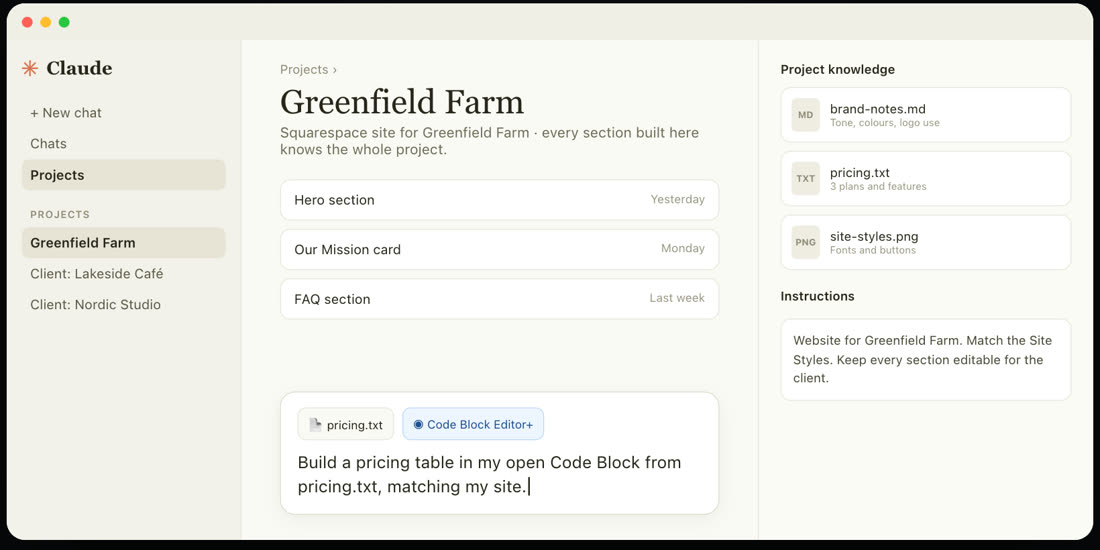
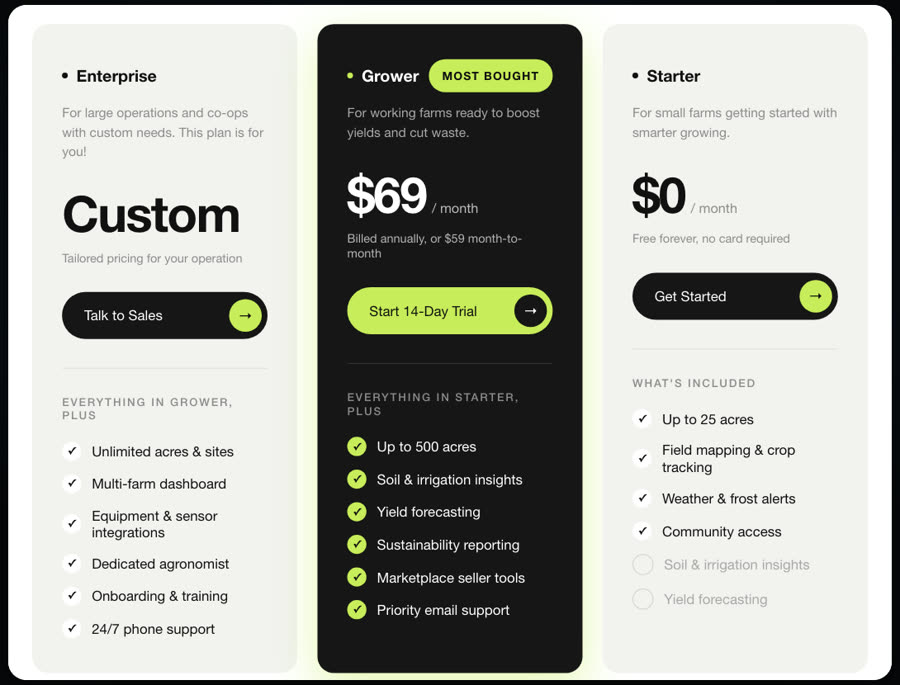
Matches your site
Claude reads your fonts, colours, button shapes and spacing before it builds, so the section looks like it belongs.
Straight into your Code Block
No copying and pasting. The section appears in the block you opened, ready to review. Nothing goes live until you click Save.
Ready to hand over
Everything Claude builds opens in the Editor as plain fields, so your client can change the text, links and images later.
Knows your project
Work in a Claude project with your brand notes, content files and earlier sections, and every new section takes them into account.
Your own Claude subscription
Create uses the Claude plan you already have. No API keys to manage and nothing extra to pay us.
Only for you
Press Ctrl + Option + A in your editor and connect Claude. Create appears only in your browser; your client keeps the regular editor with the Editor panel.
The requests you get every month.
Handled without you.
Pick one. Each clip is the real Editor, step by step — exactly what your client will see.
Retype a heading, pick a new colour, make it bolder. The page updates as you type.
Your client sees the design.
You keep the code. They get the fields.
The Editor reads the HTML that's already in your block — written by hand or generated with AI — and turns the parts that change into plain fields. Your structure, styling and animation stay exactly as built.
Your client (or you, six months from now) edits the content. Nobody has to touch the raw code again.
Hourly
<!-- Hourly -->
<div class="ds-card">
  <h3>Hourly</h3>
  <ul class="ds-rate">
    <li><span>2 hours (or less)</span><span cla…
    <li><span>Half Day (2–5 hrs)</span><span cl…
    <li><span>Full Day (5+ hrs)</span><span cla…
  </ul>
</div>
Edit content
V3.2It edits values, not your markup.
When your client changes the price, that is the only thing that changes in your code. No wrappers, no new classes, no reformatting.
<ul class="ds-rate"> <li><span>2 hours (or less)</span>- <span class="price">$20</span></li>+ <span class="price">$25</span></li> <li><span>Half Day (2–5 hrs)</span> <span class="price">$29</span></li>
Everything else — structure, CSS, scripts, animation — stays byte for byte as you wrote it.
Only what's already in your HTML
Text, links, images, colours and repeated items become fields. It can't invent a field that isn't in your code, and it never writes outside the block.
Your CSS and animation stay locked
The client sees fields, never code. Where adding or removing an item could break your layout, the Editor doesn't offer it.
Hand-written or AI-generated
It doesn't care how the block was made. Dense, unfamiliar output is exactly where plain fields help most.
A phone size, only when someone sets one
Where your CSS sets a text size, a phone size can be added — as a single media rule for phones. Desktop stays exactly as it was.
The raw code, whenever you need it
There's a developer-only way back to the HTML, explained in your tutorial. Your client never sees it.
The content layer for every Code Block.
It works with what's already in your block: the text, links, colours and images in your HTML become plain fields. Nothing is added that you didn't build. Cards marked New arrived in Version 3 — on every installed site, automatically.
Link to your own pages in one click
Start typing in a Link address and the Editor suggests the pages on your site — including pages that aren't in your menu, and sections you've given an anchor link. Linking to another website still works the usual way.
Opens itself
No toolbar to find — open the Code Block's editor and the panel appears automatically.
Dock it beside your page
Dock the panel to the side and your page stays in view. Click any text, button or image in the block to jump straight to its fields — edits show as you type.
Swap images, no files sent
Every image in your block gets a field. Replace it with any image on your site or in your Squarespace Asset Library — or upload a new one. Search by filename.
Add, remove and reorder items
When your block repeats a pattern — FAQ entries, cards, testimonials — your client can add one, remove one, or drag them into a new order. Where that isn't safe for the layout, the panel says so instead.
Undo, one step at a time
Every change can be walked back in order, and the button names what it will undo — “Undo change to ‘Text color’”. Each field has its own Undo, Redo brings a change back, and Revert resets everything.
Open links in a new tab
Every link and button gets an "Open in a new tab" switch, right under its address. Leave it alone and nothing changes.
A separate size for phones
Where your block's CSS sets a text size, the panel offers a phone size right next to it. Change it for phones and the desktop size stays exactly as it was.
Reorder columns Beta
When your block has a multi-column layout, swap the columns from the panel — image on the right instead of the left — without touching the grid.
Search and filter
Big block, lots of fields? Search your content or filter by text, colour or image to find the one you need.
The client emails again. It is a two minute change.
Change the price from $20 to $25. Swap the headline. Replace the photo. Add one more question to the FAQ. It sits inside a Code Block, so the client cannot touch it, so it comes to you.
You do it, because invoicing fifteen minutes feels petty and because saying no costs more than saying yes. Then it happens again next month.
Before you ask.
Hand over the site.
Keep the design.
$30 per site, one time. Every future update included. Install in under 2 minutes.