


SideKick
Meet SideKick, your website's ultimate navigation companion! This sleek, customizable vertical menu plugin enhances your site’s usability while adding a modern, polished touch. You can see it on the right side of this page…
Why SideKick?
Elegant Design: A clean, vertical layout with hover effects for a sophisticated look.
Intuitive Navigation: Interactive hover states that reveal text navigation, guiding users effortlessly through your site.
Custom Placement: Stick SideKick to your browser's left or right side, high or low…. precisely where you want it.
Custom Icons and Images: Use your own icons and images to match your site’s aesthetics.
Seamless Integration: Works beautifully across all devices, ensuring a responsive and user-friendly experience.
Animation: We included a bunch of fun animations
Configurator: The plugin comes with a handy Configurator to build the plugin without the need to understand how to code.
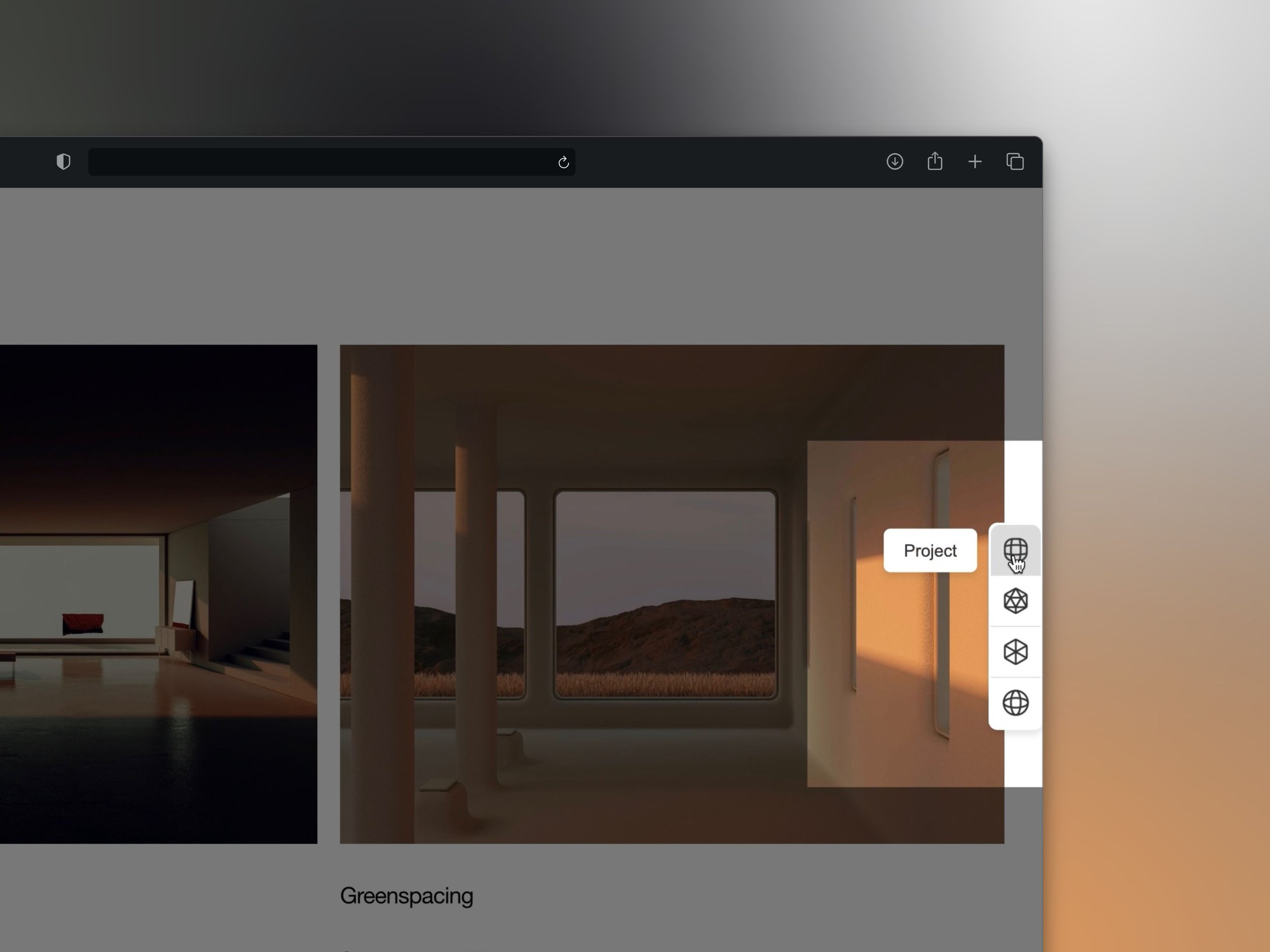
Introducing SideKick – the ultimate secondary navigation tool to enhance your website's UI and UX. This sleek, vertical menu plugin is designed to complement your primary navigation, offering quick and intuitive access to key links and features without overwhelming your main layout. With interactive tooltips and customizable options, SideKick ensures users can effortlessly navigate your site while enjoying a seamless, polished experience. Perfect for improving accessibility and engagement, SideKick adds a professional touch that takes your website's user journey to the next level.
Use cases
-
Navigation

-
Social Media Links

-
Contact Options

SideKick Position
-
SideKick Right Hand Side - Gap

-
SideKick Right Hand Side - No Gap

-
SideKick Left Hand Side - Gap

-
SideKick Left Hand Side - NoGap

Animations
-
Flipping Icon

-
Jelly Icon

-
Swiffle

Customization tweaks
SideKick stuck or with a gap towards the browser’s edge
SideKick positioned on the Left or Right-hand side of the browser
SideKick can be set to any height you prefer
Font colors
Font family
Font weight
Border Radius of SideKick Text Block
Shadow around SideKick
Size of icons
Background color behind the icons
any many many more…
Introducing SideKick – the ultimate secondary navigation tool to enhance your website's UI and UX. This sleek, vertical menu plugin is designed to complement your primary navigation, offering quick and intuitive access to key links and features without overwhelming your main layout. With interactive tooltips and customizable options, SideKick ensures users can effortlessly navigate your site while enjoying a seamless, polished experience. Perfect for improving accessibility and engagement, SideKick adds a professional touch that takes your website's user journey to the next level.